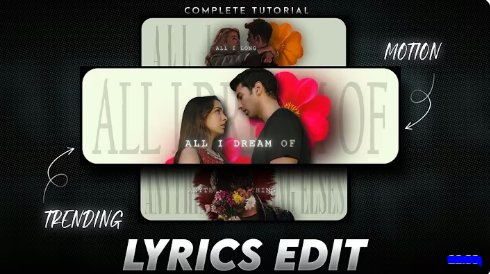
💥 How to Create a CapCut Edit Like AE (Thanos + Woodl Text + Microwave Style)
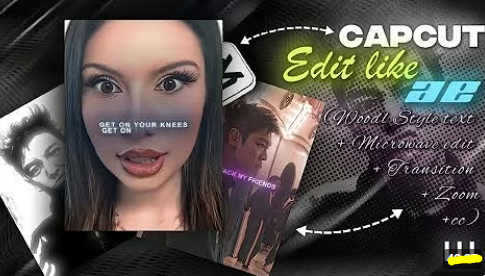
f you’ve seen trending cinematic edits online, you might have noticed videos with Thanos-style effects, smooth Woodl-style typography, and Microwave-style visual glitches. These effects are popular on TikTok, Instagram Reels, and YouTube Shorts for their cinematic and dramatic look.
This tutorial will guide you step-by-step to create a CapCut edit like AE, combining these three iconic effects.
🎬 What Is a CapCut Edit Like AE?
A CapCut edit like AE (After Effects style) usually includes:
- Thanos-style effect – dramatic, high-contrast color grading with cinematic overlays, often with “snap” or power transitions.
- Woodl-style text animation – stylish, smooth kinetic typography synced to music.
- Microwave effect – rapid stuttering, glitch, or shake effect to emphasize beats or transitions.
This type of edit is perfect for cinematic short clips, fan edits, or music video snippets.
🧰 What You’ll Need
Before starting, gather:
- ✅ CapCut App (latest version)
- 🎞️ Video clips or images to edit
- 🔠 Fonts for Woodl-style text (bold and kinetic)
- 🎶 Audio track with beat drops for syncing animations
- 🖤 Optional overlays: cinematic lights, Thanos-style cinematic clips, glitch overlays for Microwave effect
⚙️ Step-by-Step: Create a CapCut Edit Like AE
Step 1: New Project & Import Clips
- Open CapCut → Tap “New Project”
- Import your main video clips or images
- Arrange clips on the timeline in order of appearance
Step 2: Apply Thanos-Style Effects
- Select your clip → Tap Adjust → Contrast +70, Saturation -50, Brightness -10
- Optional: Apply Cinematic filter to give a dramatic Thanos-like tone
- Add overlay clips or light leaks for cosmic effect
- Optional: Add subtle slow-motion moments for dramatic impact
Step 3: Add Woodl-Style Text Animation
- Tap Text → Add Text
- Write your headline or key phrase
- Choose a bold font and set size large for impact
- Position text to complement main subject
- Apply Woodl-style animation: Smooth kinetic animation, fade-in/out, or slide on/off synced to beats
- Optional: Use split text lines for dynamic movement
Step 4: Microwave-Style Glitch & Shake Effects
- Tap Overlay → Add Overlay → glitch or microwave effect video
- Place above main clip and set blend mode to Screen or Overlay
- Adjust opacity to subtle intensity (50–80%)
- Optional: Use Speed adjustment to create fast stutter/microwave effect on beat drops
- Add Camera Shake or Zoom to emphasize dramatic moments
Step 5: Sync Everything to Music
- Import your audio track → trim to desired length
- Use Beat Markers or manually mark key points
- Align: Thanos-style transitions, Woodl text animations, and Microwave glitch effects to beats
Step 6: Final Color Grading & Filters
- Apply global filter for consistency
- Adjust contrast, saturation, and brightness as needed
- Optional: Add film grain or vignette for cinematic depth
- Double-check text readability and effect visibility
Step 7: Export & Share
- Export settings: 1080p, 60fps for smooth playback
- Preview on mobile to ensure animations and effects sync correctly
- Share on TikTok, Instagram Reels, or YouTube Shorts
- Suggested hashtags:
#CapCutAEEdit #ThanosEdit #WoodlText #MicrowaveEffect #TrendEdit
💡 Pro Tips for AE-Like Edits
- Keep one dominant color tone (e.g., purple-blue for Thanos style)
- Sync every animation to beat markers for cinematic rhythm
- Use subtle overlays to enhance, not clutter, the scene
- Preview on mobile to check text, effects, and clarity
🚫 Common Mistakes to Avoid
- Off-beat animations that break the rhythm
- Overusing overlays causing messy visuals
- Text too small or hard to read
- Poor export quality ruining cinematic look
🎯 Final Thoughts
A CapCut Edit like AE combining Thanos, Woodl text animation, and Microwave effects is a powerful way to make cinematic, visually engaging short videos. With precise beat syncing, bold typography, and dramatic effects, your edits can stand out on TikTok, Instagram, and YouTube.