
CapCut not working in Browser (Firefox, Opera, etc.) — Why, and What to Do
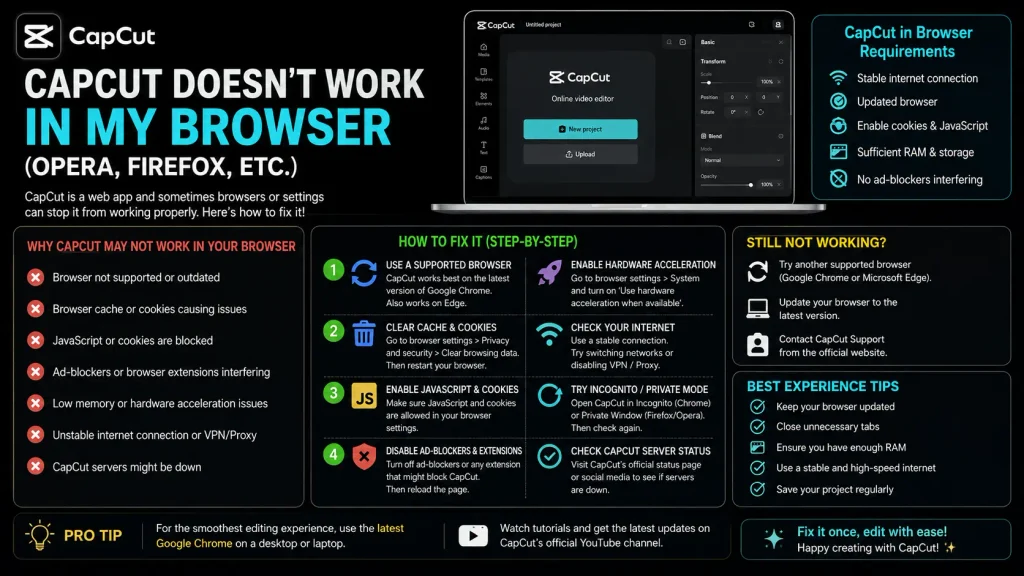
CapCut not working in browser: If CapCut Web tells you your browser isn’t supported — or just refuses to load, freezes, or produces exports that don’t match what you edited — this is a real, well-documented limitation, not a bug specific to you. CapCut Web has a genuine technical dependency on specific browser engines that Firefox and Opera don’t reliably provide.
Why This Happens — The Actual Technical Reason
CapCut Web isn’t a thin, purely cloud-rendered editor — it does real editing, decoding, and encoding work directly in your browser using WebAssembly and WebCodecs, technologies that depend heavily on the browser’s underlying rendering engine (WebGL/WebGPU support specifically). Chrome and Edge (both Chromium-based) have the most complete, consistent support for what CapCut Web needs. Firefox uses a different engine (Gecko) with materially different WebGL/WebGPU support, which is why it’s specifically flagged as unsupported rather than just “not officially tested.” Opera, despite being Chromium-based, has also been reported as unreliable for this specific use, likely due to its own modifications to the underlying engine.
This is a genuine architecture limitation, not a simple compatibility oversight — it’s the reason CapCut explicitly warns that if a browser isn’t fully supported, your edit preview may not match your actual exported file, rather than just failing outright. That mismatch is arguably worse than an outright failure, since it can go unnoticed until after export.
Which Browsers Actually Work
Fully supported: current Chrome and Edge are the most reliable choice — start here if you’re having any issues elsewhere. Also supported: Safari on a current version of macOS is on CapCut’s supported rendering path, making it a genuine option for Mac users who prefer not to use Chrome.
Not reliably supported: Firefox (confirmed unsupported due to its rendering engine), Opera (reported unreliable despite being Chromium-based), and mobile browsers generally — CapCut Web is built around desktop browser capability, not mobile.
What to Do If You’re Stuck on an Unsupported Browser
Switch to Chrome or Edge for this specific task. This isn’t a workaround, it’s the actual fix — there’s no reliable way to make Firefox or Opera fully compatible with CapCut Web’s current architecture. If you’re on Firefox by strong preference for everything else, installing Chrome or Edge just for CapCut Web editing sessions is the practical path.
If you’re on a Chromebook, current desktop Chrome (which is what ChromeOS runs) does support CapCut Web — this isn’t a separate compatibility question from the desktop Chrome guidance above.
If you’re on Linux, results vary more than on Windows/Mac — some users report success with Chromium-based browsers with specific GPU driver/flag configurations, while others (particularly on less common hardware like Raspberry Pi setups) report persistent WebGL-related failures even in a nominally supported browser. If you’re on Linux and hitting issues even in Chrome/Chromium, check your GPU driver’s WebGL support specifically before assuming it’s a CapCut-side problem.
Don’t try to spoof your browser’s user agent to force access. Some users have found that faking a Chrome user-agent string in Firefox makes the site load, but this doesn’t fix the underlying engine incompatibility — you’re likely to hit the export-mismatch problem described above (where what renders in preview doesn’t match the final file) even if the initial load succeeds.
If You Can’t Switch Browsers at All
If you’re on a locked-down work or school machine where installing a different browser isn’t an option, CapCut Web genuinely may not be usable for you in that environment. The CapCut mobile app or desktop app (Windows/Mac, not browser-based) are the realistic alternatives, since they don’t have this browser-engine dependency at all — worth switching to one of those rather than continuing to fight browser compatibility issues on Web specifically.


