
CapCut AI Credits Explained: Why Pro Doesn’t Mean Unlimited AI
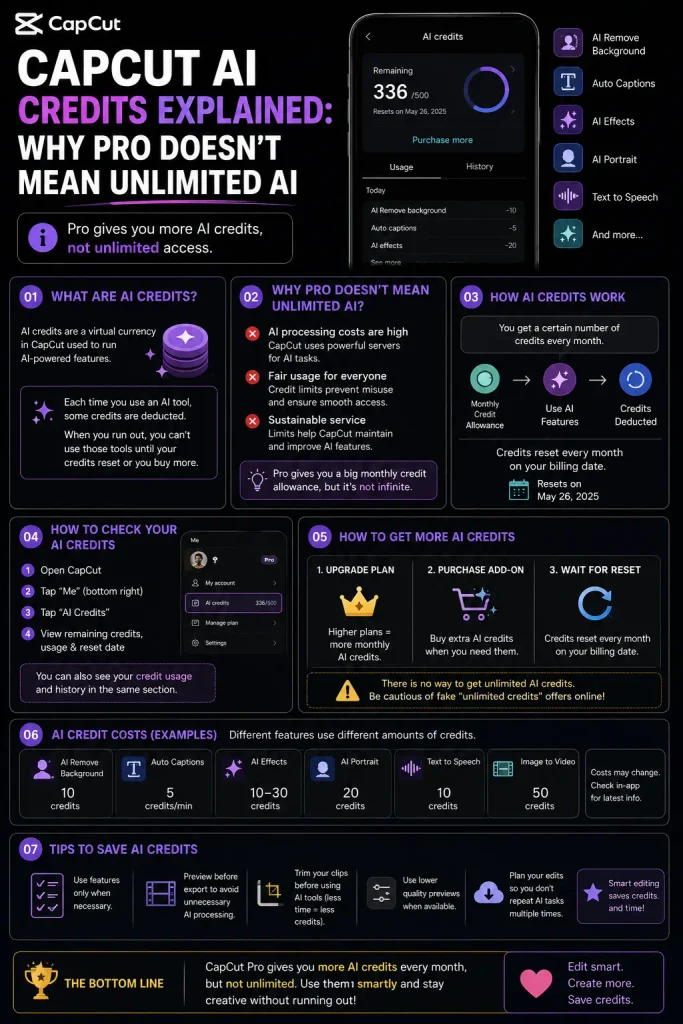
If you’ve upgraded to CapCut Pro expecting unlimited access to AI features and then hit a wall mid-project, you’re not imagining it — Pro comes with a monthly CapCut AI credits allowance, not unlimited generative AI use. This is one of the most misunderstood parts of CapCut’s current pricing, and it’s worth understanding clearly before you pay for anything.
The Core Thing to Understand
CapCut runs two separate systems that people often conflate:
- Your subscription tier (Free, Standard, Pro, Ultra, Teams) — this determines which features you can access at all, plus baseline things like export resolution, watermark removal, and cloud storage.
- AI Credits — a separate, metered currency that specific advanced AI features draw from every time you use them, regardless of your subscription tier.
Paying for Pro gives you a monthly credit allowance as part of the plan, but heavy use of credit-consuming features can burn through that allowance well before the month is over — at which point you either wait for the next monthly refresh or buy additional credits.
Which Features Actually Use Credits
Based on CapCut’s own help documentation and current third-party pricing breakdowns, features that consume credits generally include AI image generation, AI avatar generation, voice cloning/premium text-to-speech, AI script-to-video, and AI long-video generation.
Manual editing tools generally do NOT consume credits — cutting, splitting, basic auto-captions, basic auto-cut, background removal on standard clips, and general timeline editing are typically included in your subscription without drawing from your credit balance. If you’re using CapCut primarily as a manual editor rather than an AI content generator, credits are unlikely to become a real constraint for you.
How Credit Consumption Is Ordered
When you use a credit-consuming feature, CapCut deducts from your available credit sources in a specific order: subscription credits first, then any activity/bonus credits, then purchased credits last. This matters if you’re trying to understand why your purchased top-up credits aren’t shrinking yet — they’re the last pool used, not the first.
What the Numbers Actually Are — And Why You Should Be Skeptical of Any Single Figure
Here’s the honest situation: multiple current, independently published sources report meaningfully different monthly credit allowances for the same “Pro” tier — figures ranging from roughly 200, to 550, to 600, up to 1,200 monthly credits, published within weeks of each other. This isn’t one source being wrong; it likely reflects CapCut adjusting allowances by region, promotional period, or plan version, combined with the genuine confusion caused by a mid-2026 restructuring that split the old single “Pro” tier into Standard, Pro, and a new Ultra tier.
What this means practically: don’t trust a fixed number, including any specific figure you see in this article’s sources. Check your own account’s current plan details directly for your actual allowance, since it may not match what any outside article — including this one — states.
Reasonable ranges reported for individual actions (again, treat as approximate, not fixed): a simple AI-generated video clip has been reported anywhere from 5-40 credits; AI avatar generation from 20-100 credits per video; voice cloning around 10-25 credits per minute of synthesized audio. The spread here is wide enough that the only reliable way to know your actual cost is to try a feature once and watch your balance change.
If You Run Out of Credits
- Wait for the monthly refresh if you’re not in a rush — subscription credits renew on your billing cycle.
- Purchase additional credits — reported starting around $4.99 for roughly 100 credits, with larger bundles available. Purchased credits have been reported to last up to two years without expiring, unlike your monthly subscription allotment which typically doesn’t roll over.
- Reduce reliance on the heaviest features. If avatar generation or voice cloning is draining your balance fastest, manual editing combined with CapCut’s non-credit AI tools (basic captions, basic cutout) can meaningfully extend how far your allowance goes.
A Practical Way to Think About Whether Pro Is Worth It for You
If your workflow is primarily manual editing with occasional AI assistance (a handful of AI-generated clips per month), the included credit allowance on Pro is likely enough, and the credit system won’t meaningfully affect your costs. If you’re running a genuinely AI-generation-heavy workflow — multiple avatar videos, extensive voice cloning, long-form AI video generation, every week — budget for real top-up costs on top of your subscription, since heavy users have been consistently reported to exhaust monthly allowances within one to two weeks.


