How to Become a Template Creator on CapCut
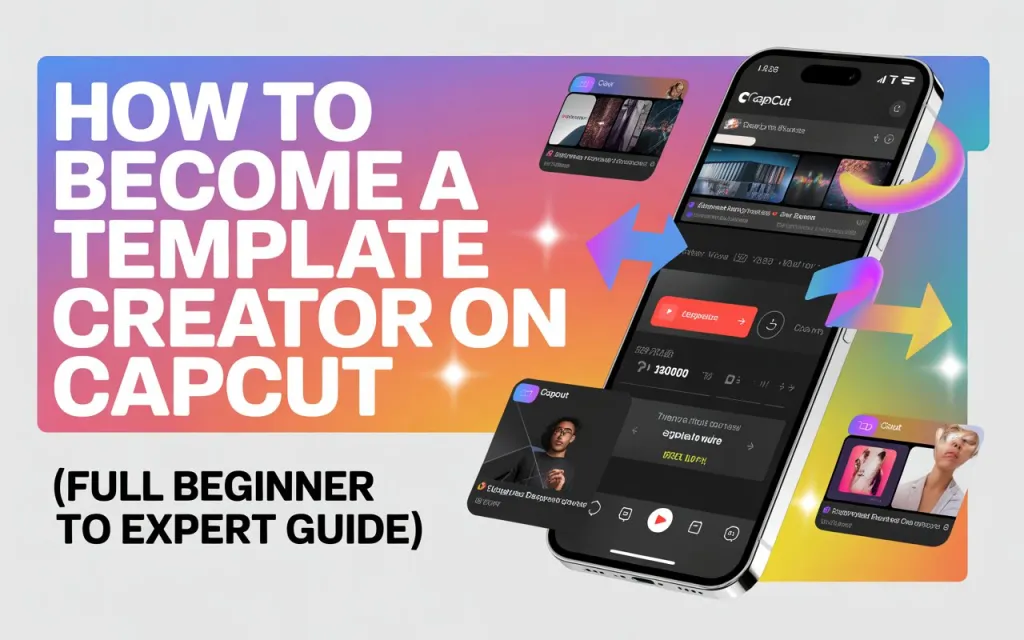
CapCut templates dominate TikTok, Instagram Reels, and YouTube Shorts — and becoming a CapCut Template Creator has become a legit way to gain followers, build a brand, and even earn money through promotions.
But many users still ask:
- How do I become a CapCut template creator?
- Do I need approval?
- Is it possible to get my templates featured globally?
This guide explains everything step-by-step, from requirements to publishing, optimization tips, mistakes to avoid, and how to boost your chances of getting verified.
✔ What Is a CapCut Template Creator?
A CapCut Template Creator is someone who uploads public video templates inside CapCut that can be used by millions of users with “Use Template” button.
Top creators often receive:
- More TikTok followers
- More CapCut profile visibility
- Collaboration opportunities
- Brand deals
- Higher engagement on videos
If your templates perform well, CapCut also feature your work on homepages.
✔ Requirements to Become a CapCut Template Creator
You don’t need to be verified or famous — you just need:
1. A TikTok Account
CapCut uses TikTok login to track your templates and profile.
2. Latest CapCut App
Because template-uploading tools are updated frequently.
3. Original Video Clips or Editing Style
CapCut rejects copyrighted, stolen, or watermark-heavy edits.
4. Strong Editing Skills
Transitions, syncing, and visual style matter a lot.
5. Consistency
Creators who upload frequently grow faster.
✔ Step-by-Step: How to Become a CapCut Template Creator
Step 1: Create a TikTok-Linked CapCut Account
- Open CapCut
- Tap Me / Profile
- Log in with TikTok
This ensures template stats connect to your TikTok account.
Step 2: Create an Edit You Want to Convert into a Template
Start a new project and add all:
- Clips
- Keyframes
- Velocity edits
- Transitions
- Filters
- Text animations
- Beats (very important)
This will become the base of your template.
Step 3: Replace Media With Placeholders
Before publishing:
- Delete your personal videos
- Replace them with black clips or stock placeholders
- Keep all transitions and effects intact
This allows users to insert their own photos and videos.
Step 4: Export the Video
Export at 1080p or 4K for best quality.
CapCut uses the final exported version when showing the preview.
Step 5: Tap “Create Template”
- Go to Templates tab
- Tap + Create Template
- Upload the exported video
- Add
- Title
- Category
- Tags
- Music info
(Make sure your audio is non-copyright.)
Step 6: Publish Your Template
Once you hit “Publish,” your template goes to CapCut moderation.
If approved, it becomes public.
✔ How Long Does Approval Take?
Usually:
- 1–12 hours for normal creators
- Instant for verified CapCut creators
- 24 hours if the video includes copyrighted content (risk of rejection)
✔ How to Increase Your Chances of Getting Featured
CapCut recommends:
1. Use Trending Styles
Such as:
- 3D Smooth Velocity
- Flashbeat
- Photo Beat Sync
- Album Cover Style
- Emotional slideshow themes
2. Use Non-Copyright Music
Templates using famous copyrighted songs get rejected.
3. Keep Your Template Under 15 Seconds
Short templates get used the most.
4. Clear Structure
Avoid messy timing or too many text elements.
5. Strong Motion Flow
Velocity edits and clean transitions improve retention.
✔ Tips to Grow Faster as a Template Creator
1. Upload Daily
More templates → more chances of going viral.
2. Promote Your Templates on TikTok
Add the link in your caption.
3. Use Niche Ideas
Examples:
- Anime templates
- Birthday slideshow
- Photo dump templates
- Love couple edits
- CapCut aesthetic templates
4. Collaborate With Other Creators
They will use and promote your template.
✔ Why CapCut Rejects Template Creators (Common Reasons)
- Copyright music
- Video uses clips you don’t own
- Watermarked clips
- NSFW or violent content
- Template too similar to existing ones
- Poor quality video
- Too long or confusing structure
Fixing these can drastically increase approval rates.
✔ Can You Earn Money as a CapCut Template Creator?
Indirectly, yes:
- TikTok growth
- Brand deals
- Sponsored templates
- Promotions
- Editing services
- Selling presets
CapCut doesn’t officially pay all template creators yet, but top creators often receive paid collaborations.
✔ Final Summary
Becoming a CapCut Template Creator is easy but requires consistency, creativity, and following CapCut’s publishing rules.
Steps recap:
- Log in via TikTok
- Create high-quality edits
- Replace media with placeholders
- Export
- Publish via Create Template
- Optimize for trends and exposure
Anyone can become a well-known CapCut template creator if they upload regularly and follow trends.