
How to Cancel CapCut Pro (All Platforms)
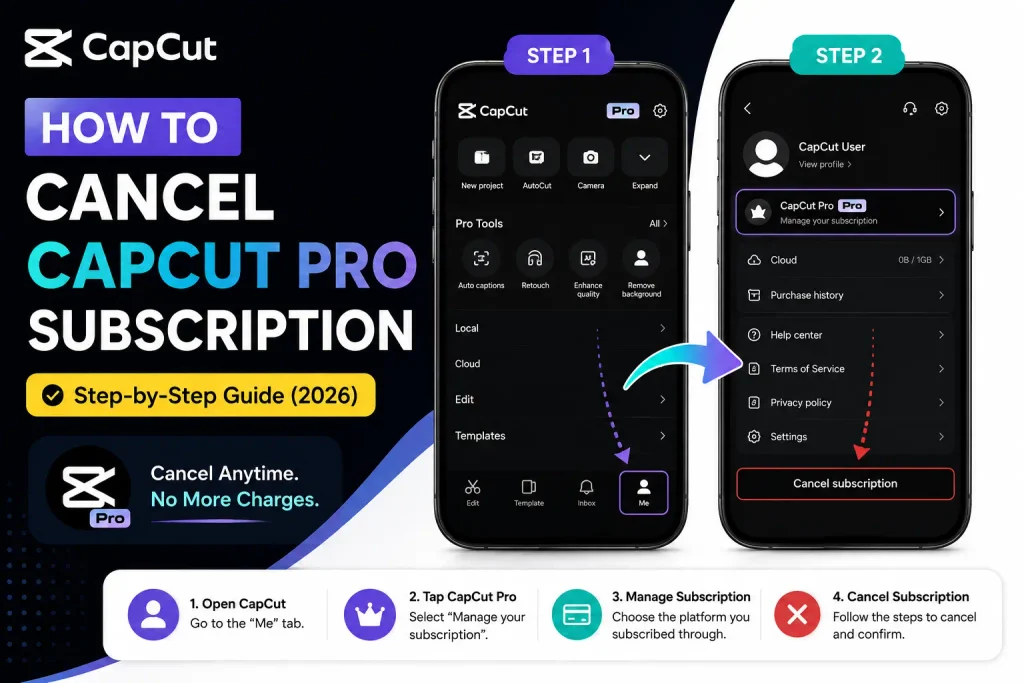
Where you cancel depends entirely on where you originally subscribed — this is the single most important thing to get right, since canceling in the wrong place (or assuming uninstalling the app does it) is the most common reason people get billed again unintentionally.
Before You Cancel — What Actually Matters
CapCut Pro auto-renews. Cancel before your renewal date, not on it — canceling the same day a charge processes is often too late to stop that specific payment.
You must cancel where you actually subscribed. If you subscribed through the App Store, canceling anything inside the CapCut app itself won’t work — the subscription lives with Apple, not CapCut, and has to be managed there.
Canceling doesn’t remove access immediately. You keep Pro features through the end of your already-paid period — cancellation stops future renewal, it doesn’t refund or immediately revoke the current cycle.
Refund policies differ by platform — Apple, Google, and CapCut’s own web/desktop billing (via Paddle or Stripe) each have separate, independent refund processes.
Canceling on iPhone/iPad (App Store)
- Settings → tap your Apple ID name at the top.
- Subscriptions.
- Find and tap CapCut.
- Cancel Subscription.
- Confirm.
If CapCut isn’t showing in your subscriptions list, check whether you subscribed under a different Apple ID than the one you’re currently signed into — this is a common reason people think a subscription has vanished when it’s actually just tied to another account.
Canceling on Android (Google Play)
- Google Play Store → profile icon (top-right) → Payments & subscriptions → Subscriptions.
- Tap CapCut → Cancel subscription.
- Optionally select a reason, then confirm.
Uninstalling CapCut does not cancel your subscription. This is worth stating plainly since it’s a common and costly assumption — the subscription is billed through Google Play independent of whether the app is installed.
Canceling on Desktop (Windows/Mac)
If you upgraded to Pro through CapCut Desktop, billing is handled through a third-party payment processor (Paddle or Stripe), not CapCut directly.
- Open CapCut Desktop, log in, click your profile picture (top-right).
- Settings → Subscription.
- Manage Subscription — this opens the payment provider’s own management page.
- Cancel Subscription there, and confirm.
Canceling via CapCut Web
- Log into CapCut Web → click your profile icon.
- Subscription from the menu.
- Manage next to your Pro plan.
- Cancel Subscription.
How Refunds Work by Platform
| Platform | Refund policy | How to request |
|---|---|---|
| Apple App Store | At Apple’s discretion, generally stricter | Report a Problem (reportaproblem.apple.com) |
| Google Play | Often possible within a short window after charge (commonly cited around 48 hours, though this isn’t guaranteed) | From the subscription page in Google Play |
| CapCut Web/Desktop | Case-by-case, handled by the payment processor | Contact Paddle or Stripe directly via the email address on your receipt |
Refund outcomes vary by provider and situation — none of these are guaranteed, and requesting as soon as possible after an unwanted charge generally improves your odds regardless of platform.
Common Problems
| Problem | Likely cause | Fix |
|---|---|---|
| No cancel option showing in CapCut itself | Subscribed through a different platform (App Store, Google Play) | Cancel through the original payment method, not inside the app |
| Still billed after canceling | Cancellation happened after the renewal date had already processed | Request a refund immediately through the relevant platform |
| Subscription seems to be missing | Logged into a different account than the one used to subscribe | Check all Apple IDs or Google accounts you may have used |
Practical Tips
Cancel with some buffer before your renewal date rather than right at the deadline — processing timing isn’t always instant. Keep a screenshot or confirmation of the cancellation for your own records, in case a dispute comes up later. Remember that Pro access continues through your already-paid period even after canceling — you haven’t lost anything by canceling early. And know that refunds are never guaranteed on any platform, but acting quickly after an unwanted charge is consistently the best lever you have.


