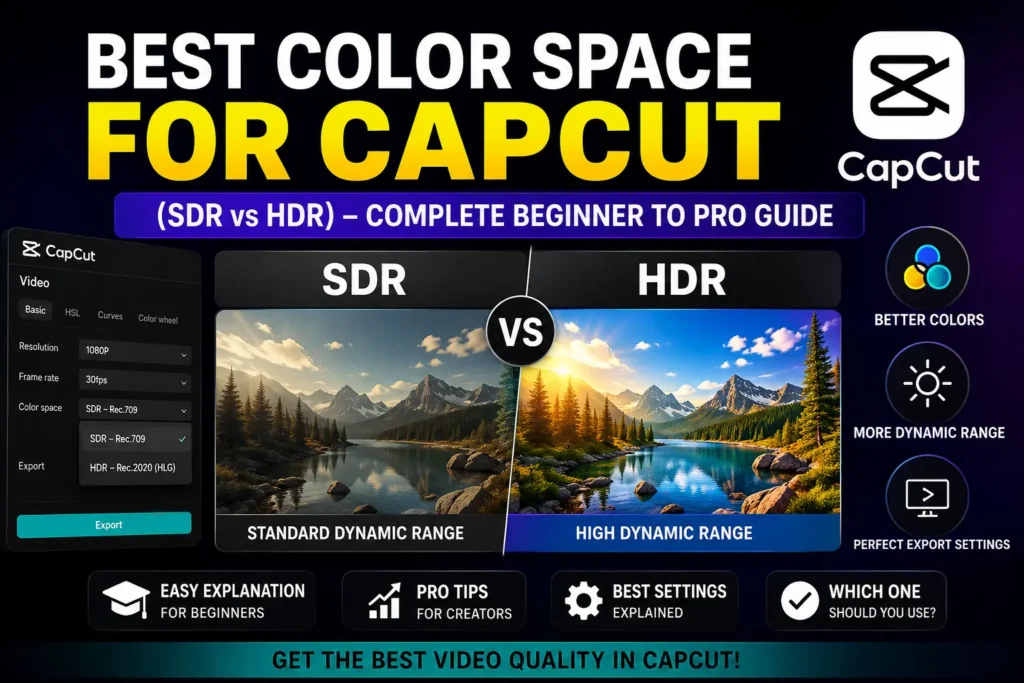
Best Color Space for CapCut (SDR vs HDR) – Complete Beginner to Pro Guide
Choosing the best color space for CapCut can make a massive difference in how your videos look after export—especially when uploading to TikTok, YouTube, or Instagram. Many creators complain that their colors look washed out, over-saturated, or inconsistent, and most of the time, the problem is color space settings.
So let’s break it down properly.
What Is the Best Color Space for CapCut?
For most users, the best color space for CapCut is SDR (Standard Dynamic Range) using Rec.709 color profile.
Why?
- Compatible with all platforms
- No color shift after export
- Best for social media
- Stable across Android, iPhone, and PC
Recommended default setup:
- Color Space: SDR
- Profile: Rec.709
- Codec: H.264
- Bitrate: High
This setup works perfectly for TikTok, Instagram Reels, YouTube Shorts, and WhatsApp Status.
CapCut Color Space: SDR vs HDR (Which Is Better?)
Many creators get confused between CapCut color space SDR vs HDR, so here’s the simple truth:
SDR (Recommended for 90% Users)
✅ Stable colors
✅ No overexposure
✅ No platform compression issues
✅ Best for social media
HDR (Only for Advanced Use)
⚠ Brighter but risky
⚠ Can look faded on non-HDR screens
⚠ Color mismatch after upload
⚠ Requires HDR-supported device
👉 If you don’t fully understand HDR workflows, always use SDR.
Best Color Grading for CapCut (Simple & Effective)
The best color grading for CapCut is not about extreme adjustments—it’s about balance.
Recommended Basic Color Settings:
- Exposure: +3 to +6
- Contrast: +5 to +10
- Saturation: +5
- Highlights: −5
- Shadows: +5
- Sharpen: +3
Pro tip:
Always color grade after setting the correct color space.
Avoid stacking too many filters—manual adjustment gives better results.
How to Change Color Space in CapCut (PC)
If you’re wondering how to change color space in CapCut on PC, follow these steps:
- Open CapCut PC
- Create or open a project
- Go to Export Settings
- Select SDR or HDR
- Choose codec (H.264 recommended)
- Export video
⚠ CapCut doesn’t show “Rec.709” explicitly, but SDR = Rec.709 internally.
How to Change Color Space in CapCut Mobile (Android & iPhone)
Many users search how to change color space in CapCut mobile, so here’s the reality:
📌 CapCut mobile does not allow manual color space selection
Instead:
- It auto-uses SDR
- HDR is enabled only if your footage is HDR
What You can do:
- Disable HDR recording in camera settings
- Avoid HDR filters
- Keep exports at 1080p or 4K SDR
This ensures consistent colors on all devices.
CapCut Color Space Is Not United – Why This Happens
Many users complain that CapCut color space is not united (or “not consistent”). This happens because:
- Mixing HDR and SDR clips
- Recording from different phones
- Using heavy filters
- Upload platform compression
- Viewing on non-calibrated screens
Fix:
✔ Use SDR only
✔ Normalize clips before grading
✔ Export in H.264
✔ Avoid HDR unless necessary
Consistency beats brightness.
Best Codec for CapCut (Very Important)
Choosing the best codec for CapCut is just as important as color space.
Recommended Codec:
🥇 H.264 (MP4)
- Best compatibility
- Smaller file size
- No color shift
- Faster uploads
Avoid HEVC (H.265) unless you know what you’re doing—it can cause playback and color issues on some platforms.
What Is the Best Color Space for CapCut? (Reddit Opinion)
Creators often search “What is the best color space for CapCut Reddit” to get real feedback.
Common Reddit consensus:
- SDR is safest
- HDR causes issues on TikTok & Instagram
- H.264 exports look better
- Manual color grading beats filters
So yes—Reddit agrees: SDR wins.
What Is the Best Color Space for CapCut Download Projects?
If you’re downloading templates or project files and asking “What is the best color space for CapCut download?”
👉 Always convert or export them in SDR before uploading.
Downloaded templates often:
- Use aggressive HDR effects
- Look different on your device
- Break color consistency
Fix them by resetting color adjustments and exporting in SDR.
Final Verdict: Best Color Space for CapCut
✔ Best color space: SDR (Rec.709)
✔ Best codec: H.264 (MP4)
✔ Best for social media: SDR only
✔ Avoid HDR unless required
✔ Manual grading > filters
If your videos look bad after upload, 99% of the time it’s a color space issue, not CapCut itself.